
Turn enquiries into paid classes.
The operating system for growing coaching centres: convert enquiries, collect fees on time and run every live class without spreadsheets or scattered WhatsApp threads.
Free 30-minute platform walkthrough. No payment details.
Watch the walkthrough- One login, 8 role-based portals
- Parent mobile app included
- Live classroom, fees and admissions
Built for growing education businesses
Coaching centre management software for classes, admissions and fees.
Meet to Manage connects the work that usually lives across video apps, spreadsheets and message threads. Your team follows one workflow from the first enquiry to the next paid class.
Live class software
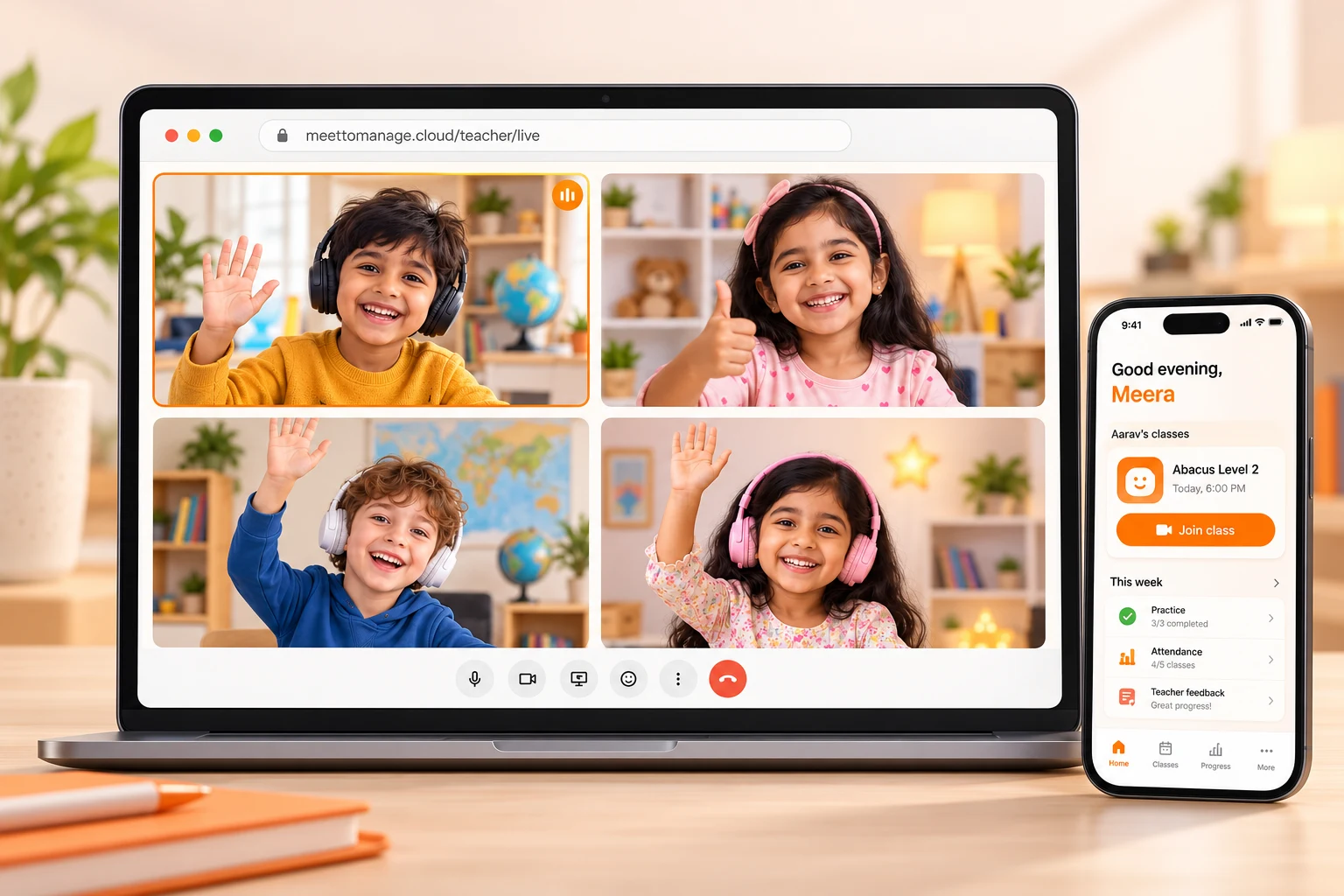
Interactive video, whiteboard, activities, recordings and one-click joining from the teacher and parent portals.
Explore live classesAdmissions and attendance
Track enquiries, demos, enrolments and attendance without losing the history in private messages or spreadsheets.
Explore admission CRMFee collection and parent app
Create invoices, send reminders and give parents one place for payments, schedules, updates and recordings.
See plans and pricingOrganising your centre manually? Start with our free fee-tracker template or teacher-handover checklist, with worked examples and no signup required.


One connected student record
From first enquiry to the next paid class.
Your team sees the same history at every step. No copying names between a form, spreadsheet, payment app and video-call link.
- 01
Enquiry
Capture every lead
- 02
Demo
Book and follow up
- 03
Admission
Keep one student record
- 04
Invoice
Collect and reconcile fees
- 05
Class
Teach and mark attendance
- 06
Parent update
Share progress automatically
AI owner briefing
Know what needs attention today.
The AI Command Center reads your academy's live operating data and ranks actions. It explains the evidence behind every suggestion instead of giving generic advice.
See it with your workflowToday’s owner briefing
Prioritised from live academy data
- 1Leads that need a follow-up
- 2Fees most likely to become overdue
- 3Students showing disengagement
- 4Batches with attendance risk
- 5Suggested WhatsApp messages
- 6Weekly collections and class summary
Recommendations depend on the records available in your academy. You stay in control before any follow-up is sent.
Guided migration
Bring your spreadsheets, video links and WhatsApp process.
We map your student and prospect columns, verify the import, configure batches and fee plans, then help your team run its first class. Your existing process becomes the starting point—not a barrier.
- Spreadsheet data mapped
- Student records verified
- Batches and fees configured
- Team onboarding included
Admin cost calculator
See what manual administration costs today.
Use your real workload as the baseline for a product demo. We will map which follow-ups, reminders and reports can be automated; we do not assume a saving percentage.
Current manual-admin baseline
₹12,990 / month
Based on 12 hours a week at ₹250 an hour. This estimates current effort—not guaranteed savings.
Map my automation opportunitiesBuilt on trusted infrastructure
- Razorpay payments
- Cashfree payments
- WhatsApp reminders
- Email notifications
- SMS alerts

Customer story
The Reader Nest runs enrolment, classes, worksheets, recordings and its parent dashboard in one platform.


Made for online coaching
Whatever you teach online, it runs on autopilot.
Batches, timetables, practice material and parent updates, set up once for the way your centre teaches.
Abacus and Vedic maths
Level-wise batches, practice drills and a progress report for every child.
Phonics and early reading
Interactive phonics games in class, and parents who see the progress.
Spoken English and languages
Small live batches, class recordings and homework in one place.
Online tuition
Grade-wise timetables, monthly fee tracking and quick parent updates.
Tuition centre softwareCoding, art and skills
Scratch, Python, drawing and music with ready-made activities.
Teacher training
Run trainer batches and share resources with every trainee.
What runs on autopilot
- Fee invoices and reminders
- Class reminders to parents
- Attendance, marked live
- Monthly progress reports
- Teacher payouts
The problem we solve
Academies don't fail at teaching. They drown in admin.
Fees chased on WhatsApp, enquiries lost in inboxes, parents asking for updates. Meet to Manage puts it all in one system.
Enquiry forms
Admissions pipeline
Paper receipts
Auto invoices and payments
Excel sheets
Reports and attendance

Meet to Manage
All in one login
Video links
Live classroom
WhatsApp groups
Parent app and reminders
Sticky notes
Notes and follow-ups
6 tools · 6 logins · endless follow-ups
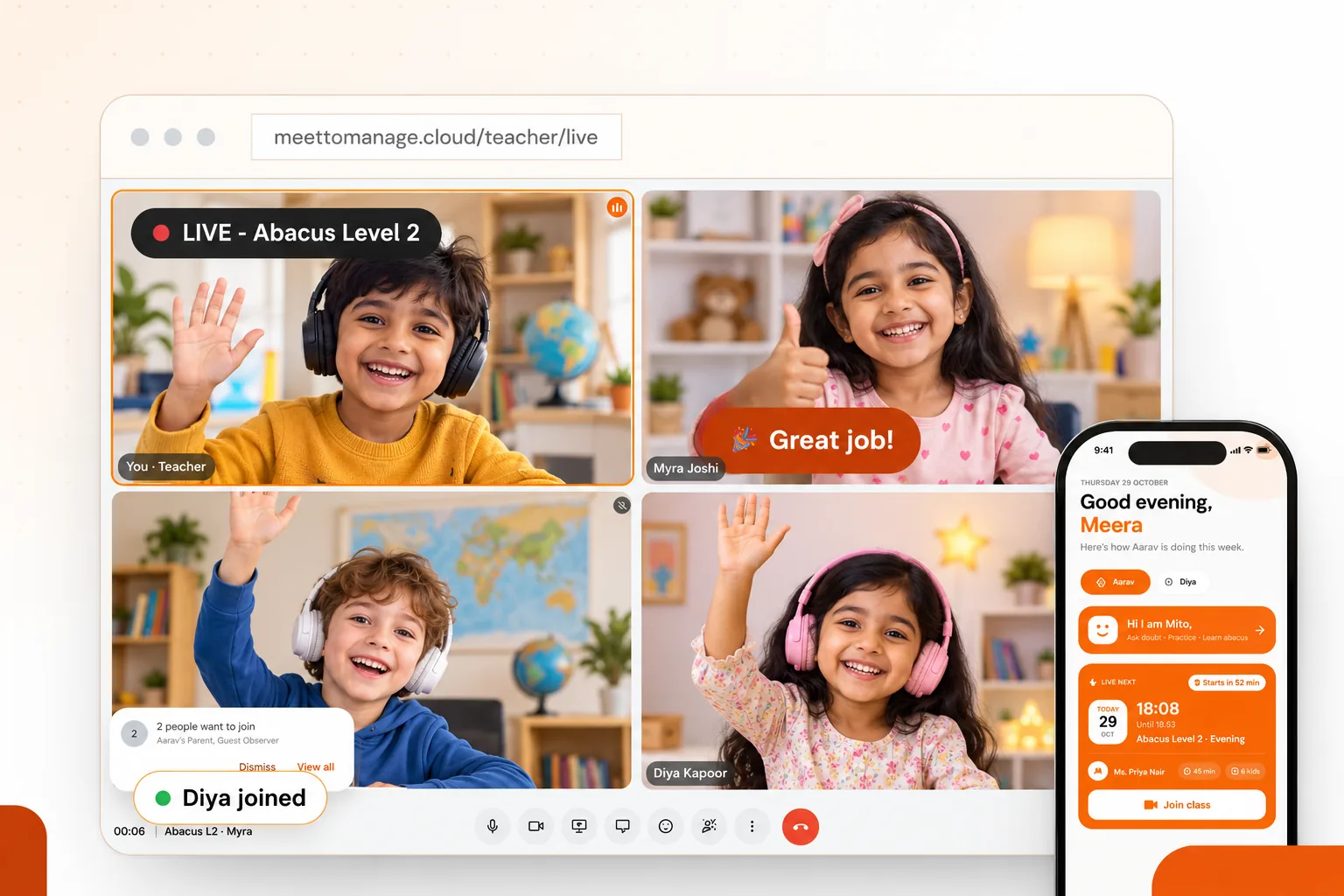
The live classroom, with sample participants.
Live classroom
A classroom built for children, not just a meeting.
Video, whiteboard, games and recordings sit in one room, so you never switch tools mid-class.
One-click join. Teachers and parents enter the class straight from their portal or the app.
Whiteboard and games. Draw, drag and match on a shared board, and launch games from a 145-title library.
Stars and leaderboard. Live rewards keep young learners excited to answer.
You control who joins. A waiting room lets you admit parents and guests with one tap.
Recordings for parents. Every class can be recorded and replayed from the parent app.
Parent mobile app
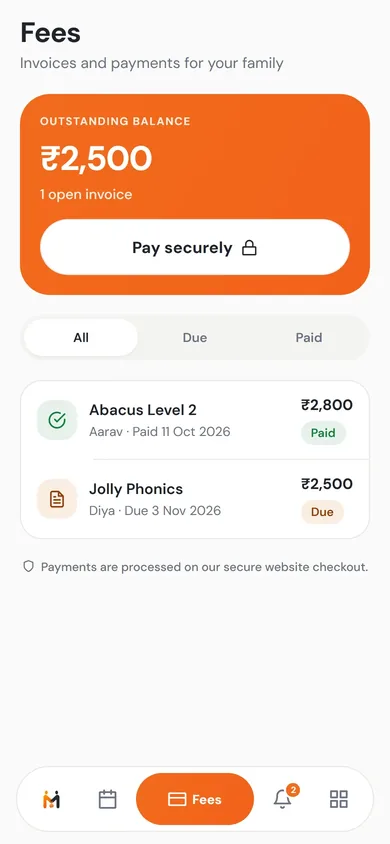
Parents join, pay and follow progress from their phone.
No more WhatsApp reminders. Everything a family needs is one tap away.
iOS and Android
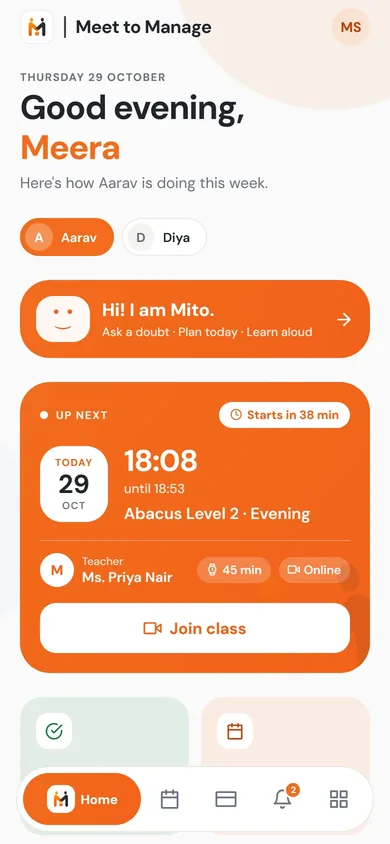
Join live class. An Up next card shows the next class and opens the room in one tap.
Fees and receipts. See what is due, pay securely and keep every receipt.
Progress and recordings. Monthly reports, class recordings and worksheets for each child.
Mito, the AI study buddy. A friendly helper that quizzes children between classes.
Your name and colours. The app carries your academy's branding, with a biometric lock for privacy.
Home
Classes
Fees
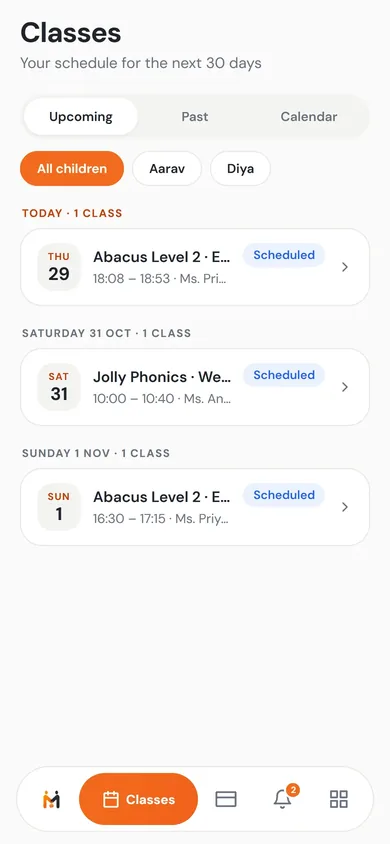
The parent app, with sample data.
The platform
Everything behind the classroom, in one workspace.
The same live system your admins and teachers already use.
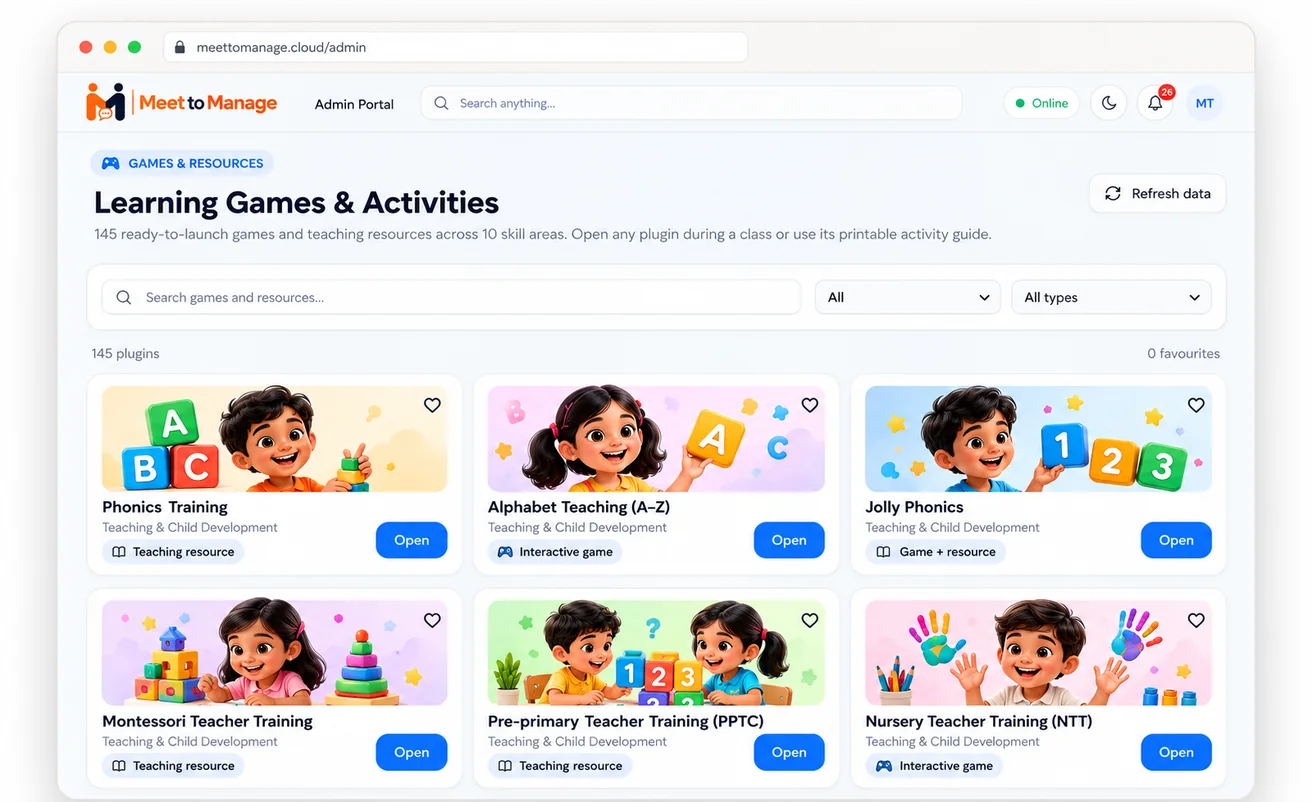
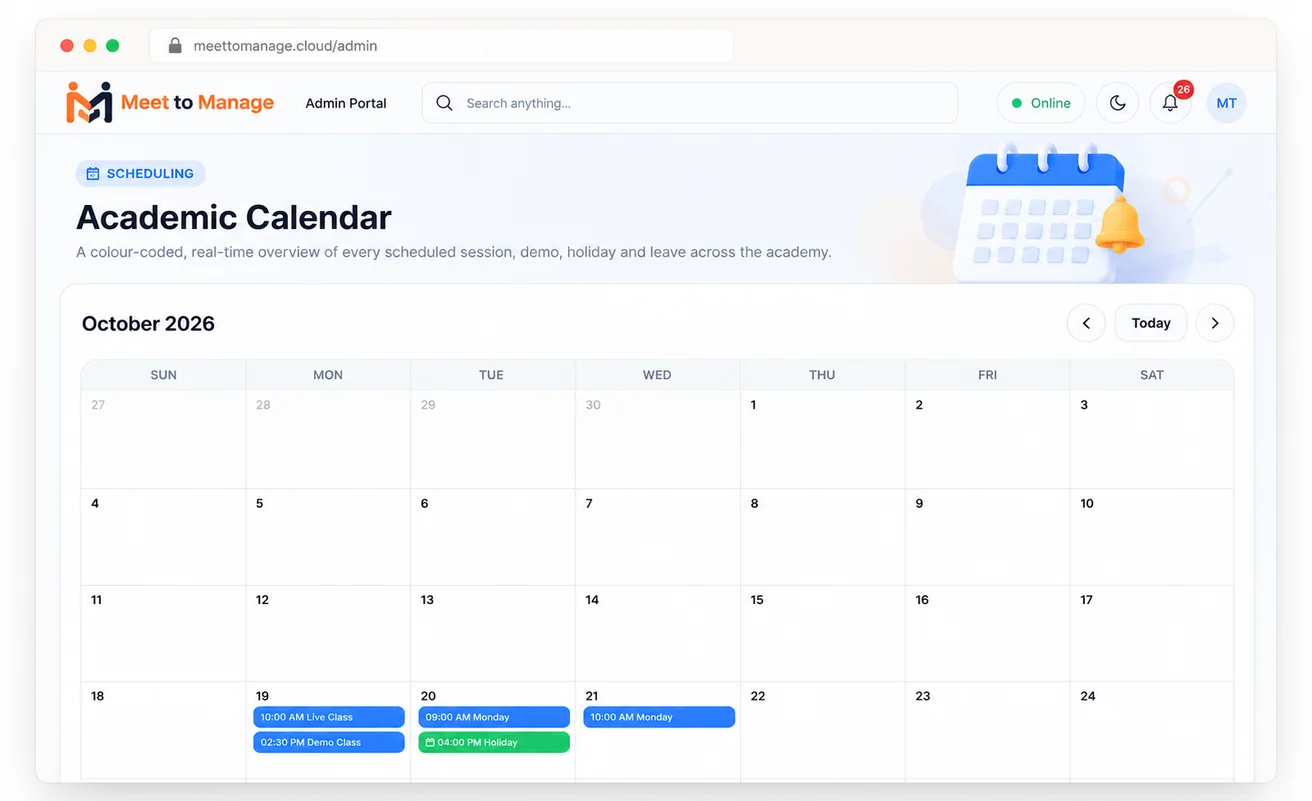
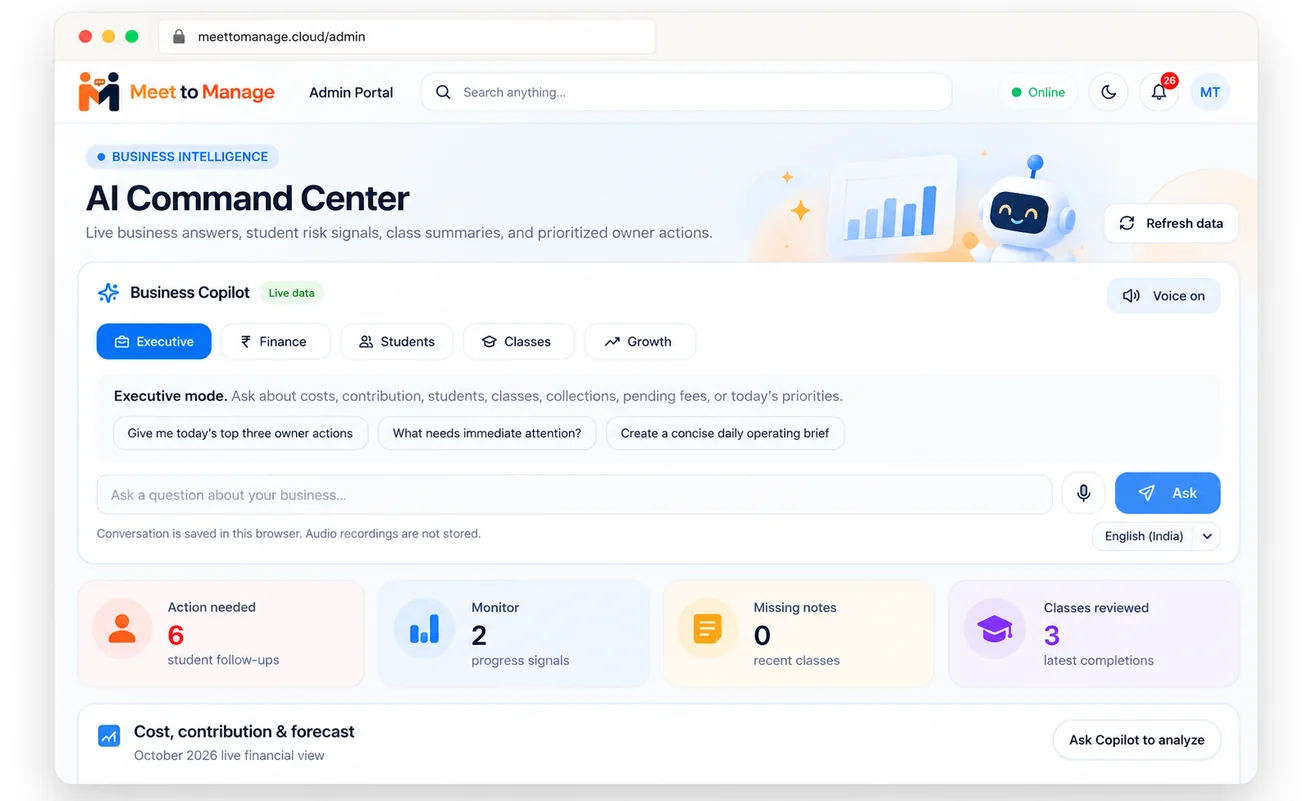
145 ready-to-launch games and teaching resources across 10 skill areas, opened right inside the live class.
Illustrations of the Meet to Manage admin portal, with sample data.
See it in action
A 13-minute tour of the platform.
Scheduling, portals and reporting, recorded from the real product.
8
role-based portals
145
learning games and resources
24/7
automated fee reminders
1
login for everyone
Security and trust
Built to look after children's data.
Access, payments and privacy are designed in from the start, not added later.
Role-based access
Teachers, parents, students and staff each see only what their role allows.
Payments through gateways
Fees are collected through Razorpay or Cashfree, so card details are entered with the gateway.
Privacy for families
Clear rules on recordings, retention and children's information, with a parent-first approach.
We don't yet publish formal compliance certifications. Ask us and we'll walk through our security setup on a call. Terms of Service · Privacy Policy

Pricing
One simple price per centre.
Not per student. Pay monthly or yearly, and change plan whenever you grow.
- Free plan: live classes, students and content
- Paid plans add admissions, fees and reports
- Your own branding on paid plans
FAQ
Questions coaching centres ask before switching.
No. The live classroom is one part of it. Scheduling, admissions, billing and reporting live in the same system, so a class connects straight to attendance, invoices and reports.
Yes. It was built for small-batch and one-to-one online classes, with a library of 145 games and resources that includes phonics and abacus activities.
Recordings stay available for the retention period of your plan, from the same app families already use to check schedules and pay fees.
Invoices are created automatically and reminders go out. Access can pause when a payment is overdue and returns the moment the family pays, with no manual follow-up.
Yes. There is no payment or commitment. Our team shows you the live classroom, admissions, fees and parent app, then answers questions about your centre's workflow.
One price per centre based on the plan, not per student. You can start on the Free plan at no cost and upgrade when you need admissions, fees or reports. See the pricing page for the current plans and limits.
See how your centre could run from one place.
Book a free 30-minute product demo. No payment details, no commitment.